
From the store listing


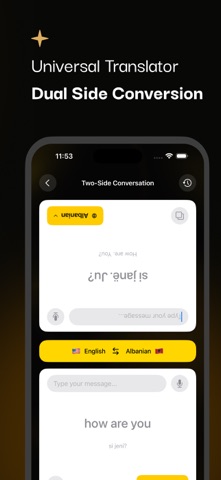


From the App Store
Scan & Translate app extracts texts from any printed sources: documents, books, signs, instructions, or announcements. When the image scan over & text is recognized, you can immediately edit, hear, translate, share them.
Features of Text Scanner: Image to Text Converter Extract any Text/Words from the picture. Select image and scan your image for translation. It's easy to use and gives better performance. A multi-Image scan is also available.
Supports multilanguage - Get translations over 100+ language Recognize text from images supports over 100 languages. Translate your scanned text into your selected languages. Ex.
Hindi, Bangla, French, Spanish, etc. Share your OCR Scan result Share your scan results with your friends and others. Post on any other social media sites also. Scan history. Show recent scan history details over the history option.
You can check your history details for more information. Speech to Text - Easier, Faster, Smarter. Translate your voice to text. Voice-controlled search allows you to go back to simplicity.
Most of the time it is very difficult for non-English Speakers to type long texts in English. It's very convenient in that case, they can use it as English Speech to text converter for writing long text notes or articles in English.
Collection of your Favourite words You can save your favorite words by selecting them with one click. User-friendly
More in Utility
Other live products in this set
Want a product like this?
Tell me the job. I will say if I am the right builder.
Keep exploring
The site is a map, not a brochure
Next step
Want a product like this?
Send the job. I will say if I am the right builder, and quote in USD.